Note
Go to the end to download the full example code.
Build synthetic concentration profiles
This example shows two convenient ways to build simple synthetic profiles directly with the SpectroChemPy API:
explicit analytical expressions with top-level math aliases such as
scp.exp(...);direct line-shape helpers such as
scp.gaussian(...)when a built-in model already matches the target profile.
import spectrochempy as scp
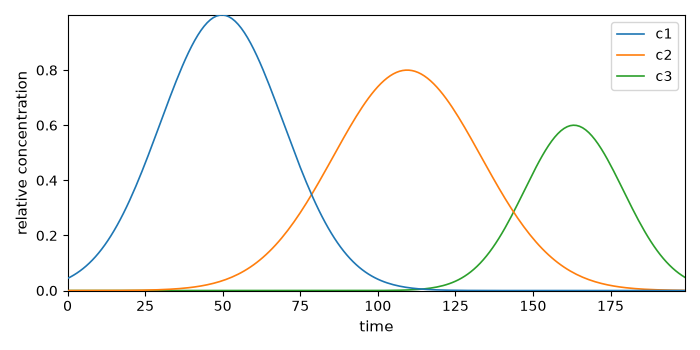
Build profiles with analytical expressions
Assemble as columns of a concentration matrix:
profiles = scp.stack([c1, c2, c3], axis=1)
profiles.x.title = "time"
profiles.y = scp.Coord(labels=["c1", "c2", "c3"], title="species")
profiles.name = "concentrations"
profiles.title = "relative concentration"
ax = profiles.T.plot()
_ = ax.legend()
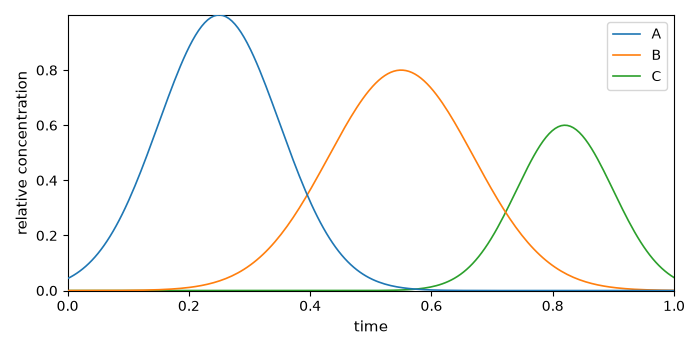
Use built-in Gaussian line-shape helper
profiles_gaussian = scp.stack(
    [
        scp.gaussian(time, ampl=1.0, pos=0.25, width=0.235, normalized=False),
        scp.gaussian(time, ampl=0.8, pos=0.55, width=0.282, normalized=False),
        scp.gaussian(time, ampl=0.6, pos=0.82, width=0.188, normalized=False),
    ],
    axis=1,
)
profiles_gaussian.x.title = "time"
profiles_gaussian.y = scp.Coord(labels=["A", "B", "C"], title="species")
profiles_gaussian.name = "concentrations_gaussian"
profiles_gaussian.title = "relative concentration"
ax = profiles_gaussian.T.plot()
_ = ax.legend()
Total running time of the script: (0 minutes 0.334 seconds)