
Plotting Preferences#
While keyword arguments customize individual plots, preferences control persistent defaults that affect all future plots in the current session and the following ones.
Accessing Preferences#
[1]:
import spectrochempy as scp

prefs = scp.preferences
Preferences are organized by category. The most commonly used are:
[2]:
print("Figure size:", prefs.figure.figsize)
print("Default colormap:", prefs.colormap)
print("Font family:", prefs.font.family)
print("Current style:", prefs.style)
Figure size: (6, 4)
Default colormap: auto
Font family: sans-serif
Current style: scpy
Changing Defaults#
Set a preference once; it affects all subsequent plots:
[3]:
ds = scp.read("irdata/nh4y-activation.spg")
[4]:
# Save original values for later restoration
original_cmap = prefs.colormap
original_figsize = prefs.figure.figsize
[5]:
# Change defaults
prefs.colormap = "magma"
prefs.figure.figsize = (8, 4)
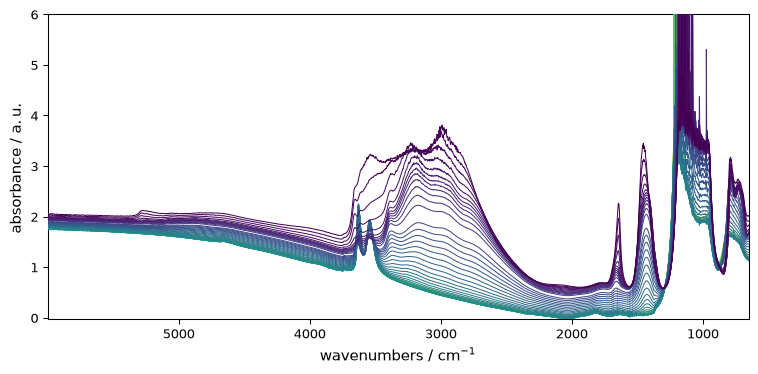
Now all plots use these new defaults. The figure size applies to every plot, while prefs.colormap applies to image and contour plots:
[6]:
_ = ds.plot()
[7]:
_ = ds.plot_image()

Resetting to Defaults#
[8]:
# Restore original values
prefs.colormap = original_cmap
prefs.figure.figsize = original_figsize
Alternatively, reset all plotting preferences to defaults:
[9]:
prefs.reset()
Common Preferences#
Preference |
Description |
|---|---|
|
Default colormap for plots (“auto” for automatic selection) |
|
Default sequential colormap (e.g., “viridis”) |
|
Default diverging colormap (e.g., “RdBu_r”) |
|
Default figure (width, height) |
|
Font family (sans-serif, serif, monospace) |
|
Default font size |
|
Show grid by default |
|
Default visual style |
Example: setting font and colormap:
[10]:
prefs.font.family = "serif"
prefs.colormap_sequential = "plasma"
_ = ds.plot()

[11]:
# Reset for other examples
prefs.reset()
Group Access#
Preferences can be accessed by group. For example, all line-related preferences:
[12]:
prefs.lines
[12]:
lines
Or all font-related preferences:
[13]:
prefs.font
[13]:
font
Getting Help#
Get help on a specific preference:
[14]:
prefs.help("colormap")
colormap = auto     [default: auto]
                    Colormap name or 'auto' for automatic selection based on data
The Mental Model#
Keyword arguments (
ds.plot(cmap="magma")) → single plotPreferences (
prefs.colormap = "magma") → all future plotsStyle (
ds.plot(style="grayscale")) → appearance theme
Use preferences for session-long defaults; kwargs for one-off changes.
To list all available preferences with their current and default values, run prefs.list_all().