Plotting Overview
SpectroChemPy plotting is designed to be:
Automatic – sensible defaults are chosen for you.
Consistent – similar data produces similar visuals.
Customizable – override anything locally or globally.
Style-driven – visual appearance can be changed without rewriting code.
In most cases, plotting your data requires only one line.
Your First Plot
Once a dataset is loaded, simply call the plot() method:
[1]:
import os
from pathlib import Path

import spectrochempy as scp

TEST_FILE = Path(os.environ.get("TEST_FILE", "irdata/nh4y-activation.spg"))

ds = scp.read(TEST_FILE)
_ = ds.plot()
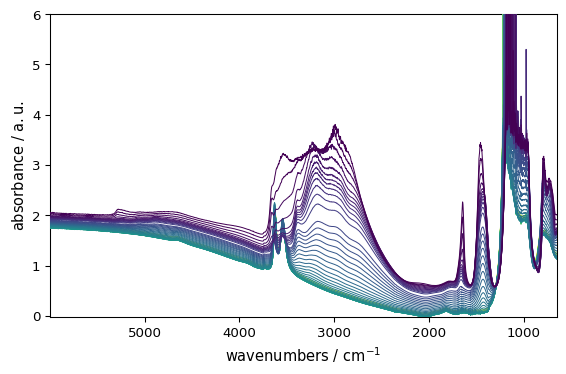
That’s it.
Here SpectroChemPy automatically:
Detects that the dataset is 2D and chooses the default stacked-lines geometry.
Selects a suitable color mapping for that geometry.
Adds axis labels from dataset metadata.
Adjusts layout and scaling.
In most situations, no additional configuration is needed.
Automatic Plot Type Selection
The plot() method adapts to the dimensionality of your dataset:
Dataset type |
Default geometry |
|---|---|
1D dataset |
|
2D dataset |
|
3D dataset |
|
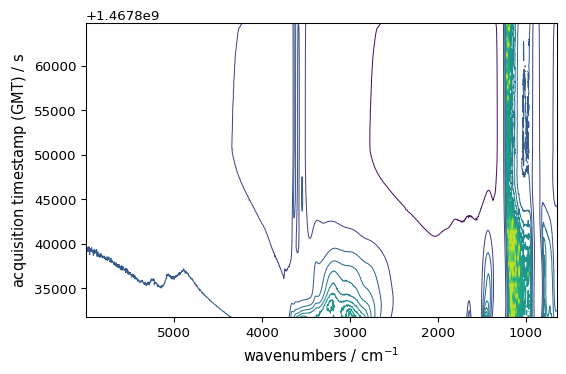
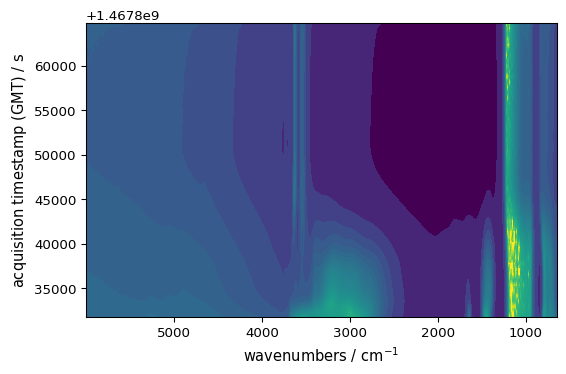
You can still choose the geometry explicitly when you want your code to be more descriptive:
[2]:
_ = ds.plot_contour()
[3]:
_ = ds.plot_image()
For 1D data, the equivalent explicit helpers are plot_pen(), plot_scatter(), and plot_bar().
Automatic Color Selection
SpectroChemPy chooses colors intelligently:
for lines:
Sequential data → sequential palette lines (default viridis, defined by
prefs.colormap_sequential)Categorical stacks → distinct categorical colors (default tab10 or tab20 depending on number of lines)
for contours and images:
Data with both positive and negative values → diverging colormap (default RdBu_r, defined by
prefs.colormap_diverging)Data with only positive or only negative values → sequential colormap (default viridis, defined by
prefs.colormap_sequential)
This behavior works automatically — no configuration required.
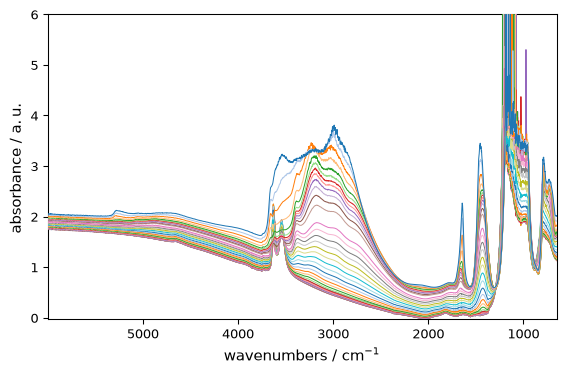
For line plots, however, you can disable continuous colormaps and force use categorical colors:
[4]:
_ = ds.plot_lines(palette="categorical")
For images and contours, you can also override the default sequential/diverging colormap behavior. Lets first have a a dataset with both positive and negative values: ds_neg = ds - ds.mean() ds_neg.plot_image(colorbar=True)
As expected,the default diverging colormap has been chosen . But this can be overridden using:
ds_neg.plot_image(cmap_mode=’sequential’) # forces sequential colormap even for data with negative values
The switch between sequential and diverging colormaps is based on the actual data values, with a diverging_margin which fixes the minimum ratio threshold for diverging auto-detection. If the data contains negative values, but they are small compared to the overall data range (i.e. they are less than diverging_margin of the data range), then a sequential colormap will be used instead of a diverging one. This prevents the use of diverging colormaps when the negative (resp. positive) values
are negligible compared to the positive (resp. negative) values, which would not provide meaningful color differentiation. The default value for diverging_margin is 0.05, meaning that if the negative values are less than 5% of the data range, a sequential colormap will be used even if there are negative values present. You can adjust this threshold as needed. For example, in the above example, setting diverging_margin=0.5 will allows for a much larger proportion of negative values (up to
50% of the data range) before switching to a diverging colormap, which is why the sequential colormap is used in this case: ds_neg.plot_image(diverging_margin=0.5)
Colorbars
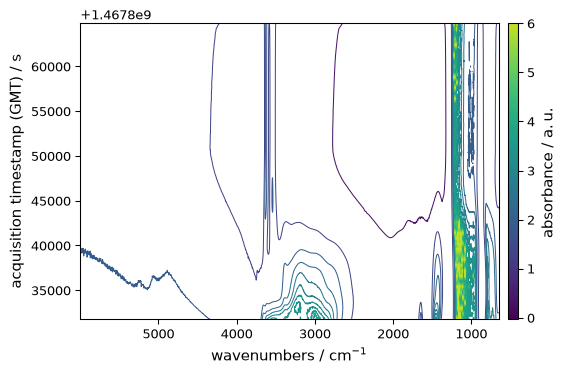
By default, line plots do not show a colorbar, and image-like plots only show one when you ask for it. Use colorbar=True to force a colorbar or colorbar="auto" when you want SpectroChemPy to add one only when a continuous color mapping is meaningful.
[5]:
_ = ds.plot_contour(colorbar="auto") # shows colorbar whenever applicable
Changing the Colormap
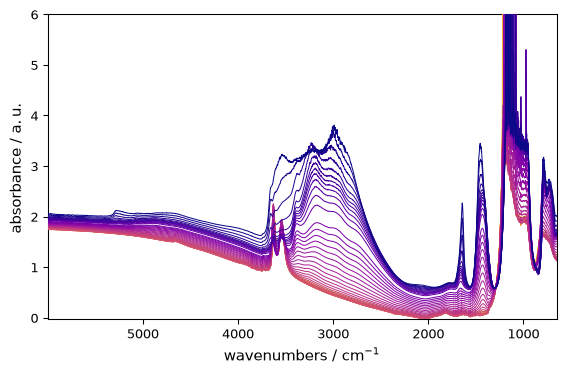
You can change colors per plot:
[6]:
_ = ds.plot(cmap="plasma") # note that palette="plasma" would also work for line plots
Colormap Precedence
When choosing a colormap, SpectroChemPy follows this priority order:
Explicit ``cmap`` kwarg (i.e.
cmap=XXXpassed in plot() — highest priorityPreferences colormap — if set and not “auto” (see preferences documentation)
Matplotlib style — if the style sets
image.cmapand prefs.colormap is “auto” (see styles documentation)Default preferences —
prefs.colormap_sequentialorprefs.colormap_diverging(see preferences documentation)
This means:
ds.plot(cmap="inferno")always uses infernoprefs.colormap = "cividis"uses cividis (unless overridden by explicit cmap)ds.plot(style="grayscale")withprefs.colormap="auto"uses grayscaleDefault behavior uses preferences-defined sequential/diverging colormaps
Changing the Overall Style
You can change the visual appearance using styles:
[7]:
_ = ds.plot(style="grayscale")
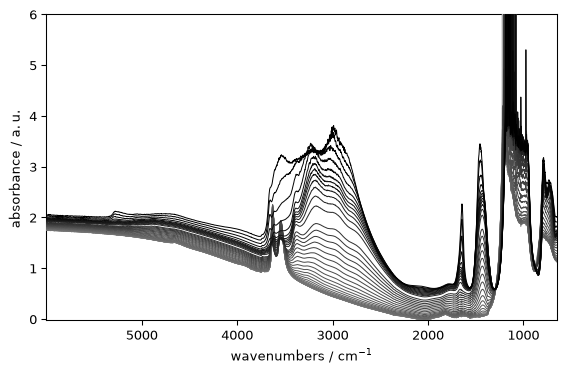
Styles can affect fonts, grid appearance, backgrounds, and (in auto mode) colormap defaults. When passed to a plot() call, a style applies only to that plot. You can also set a style globally and persistently using scp.preferences.style, which affects subsequent plots.
The Mental Model
In practice:
ds.plot()just works.method=selects the geometry when the default is not what you want.cmap=(orpalette=for lines) changes colors.colorbar=controls the colorbar.style=changes the overall appearance.plot_multiple()overlays several datasets, whilemultiplot()builds a grid of axes.scp.preferenceschanges defaults persistently.
Everything else is optional.
In the following sections, we will explore how to customize plots in more detail.